#228 Midnight Edition
December 12, 2025 • 11 Notes • Curated by FelixUpdate on what happened across the GNOME project in the weeks from November 28 to December 12.
Third Party Projects
Alexander Vanhee says
Bazaar 0.60 brought some pretty cool updates. Kolunmi implemented caching for most core data, allowing for way faster cold startups. We also made the experience around verification better. You can now see the badges next to most places where apps are shown, and added popovers to explain better what verification means. The filters have been upgraded to now work app wide, and we’ve ported the “We ♥ Games” section seen on the Flathub site. Check out Bazaar on Flathub


Hugo Olabera announces
Wike 3.2 has been released.
Among the biggest changes is the improved dark mode, which now uses Wikipedia’s native dark skin. This improves the display of many elements in article view and also resolves several issues that occur when using this mode, such as article printing or page rendering failures in certain circumstances.
Additionally, a new option has been added to the article menu for pasting and opening Wikipedia links, and the shortcuts window has been migrated to the new LibAdwaita shortcuts dialog.
The release comes complete with the usual set of code improvements and translation updates. The Wike website has also been updated.
Wike 3.2.0 is now available on Flathub.


dabrain34 reports
🎉 New Release Announcement: GstPipelineStudio v0.4.0 🎉
It’s a great pleasure to announce the release of GstPipelineStudio version 0.4.0! This release brings a refreshed user interface with a new logo, modernized dialogs, graph zoom support, recent files menu, and improved cross-platform builds with GStreamer 1.26 and GTK 4.16.
The flatpak version is coming soon …Stay tuned ! 🚀 Upgrade Now!
To get the latest version of GstPipelineStudio, visit the project’s page and check out the Changelog for more details.
Happy streaming! 🎬📡
Haydn Trowell reports
Typesetter, the minimalist, local-first Typst editor, has been updated with a range of quality-of-life improvements, including:
- A magnifier inspection tool by clicking and holding on the preview
- A document statistics popup for checking word count and other metrics
- Code completions with a Ctrl+Space keyboard shortcut
- Hover tooltips in the editor
- A code formatter for tidying Typst scripting syntax
You can get the latest version from Flathub and contribute on Codeberg.

Lock ↗
Process data with GnuPG
Konstantin Tutsch reports
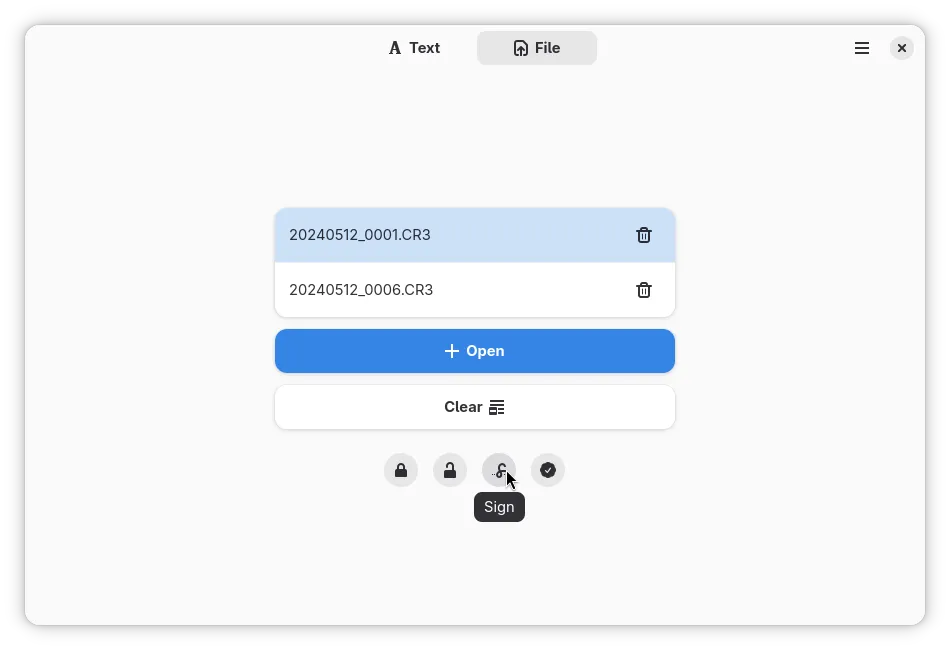
Lock v1.9.0 has been released!
This version contains overall quality improvements:
- The new shortcuts dialog from Adwaita 1.8 is now fully implemented and functional to ensure a native GNOME experience
- Iconography related to file processing has been reworked to improve intuitiveness
Available on Flathub >

Arnis (kem-a) reports
appimage-thumbnailerv2 got just released, now completely rewritten in C. It is a lightweight utility that seamlessly integrates AppImage thumbnailing into GNOME. It extracts icons directly from AppImages using efficient in-memory processing, ensuring very fast and accurate previews in Files and ensuring compatibility with freedesktop.org spec.Get it on Github: https://github.com/kem-a/appimage-thumbnailer
Shell Extensions
Just Perfection says
A new rule has been added to the EGO Review Guidelines for AI-generated code.
We’ve added this rule because, over the past two months, we have been receiving many new extensions that use AI to create GNOME Shell extensions with large amounts of unnecessary code. In some cases, we are even receiving AI-generated replies when asking for explanations during the review process.
Some days, I review over 15,000 lines of extension code. Packages containing many issues and unnecessary code require a longer review time.
From now on, submissions with unnecessary code that indicate they are AI-generated will be rejected.
You can still use AI as a learning tool and don’t forget to read the EGO Review Guidelines before sending new packages to the EGO.
Please don’t hesitate to ask any questions related to extensions on the #extensions:gnome.org.
More on this in the blog post.
NiffirgkcaJ announces
Hey everyone, this week I’ve released the latest version of All-in-One Clipboard, a unified clipboard manager with these features:
- Clipboard history for text, code, images, files, URLs, colors, and contacts
- Emoji picker with skin tone selection
- GIF search powered by Tenor/Imgur
- Kaomoji picker (Japanese text emoticons)
- Symbols picker (arrows, math, currency, etc.)
- Recently Used tab for quick access
- Pin items for quick access
- Full keyboard navigation with customizable shortcuts 
Dmy3k reports
Adaptive Brightness extension now supports GNOME 49’s new brightness slider behavior.
GNOME 49.2 introduced a behavioral change where the brightness slider adjusts user preference (bias) for automatic brightness rather than absolute brightness values. The extension now:
- Leverages native gnome-shell feature allowing users to adjust brightness preference ad-hoc
- Sets neutral bias upon start on GNOME 49.2+ for predictable auto-brightness control
- Maintains backward compatibility with GNOME 46-49.1
On top of that extension gained simplified configuration view in prefs, and possibility to backup/restore configuration.

Internships
lbaudin reports
This week Malika started her Outreachy internship. She will be working on improving document signing in GNOME Document Viewer (Papers), here is her first blog post!
Events
Allan Day announces
GNOME.Asia 2025 starts tomorrow, 13 December, in Tokyo, Japan! The two day event has a fantastic schedule of talks and workshops. If you can’t attend in person, the sessions can also be viewed remotely - just head over to the online registration to sign up.
That’s all for this week!
See you next week, and be sure to stop by #thisweek:gnome.org with updates on your own projects!